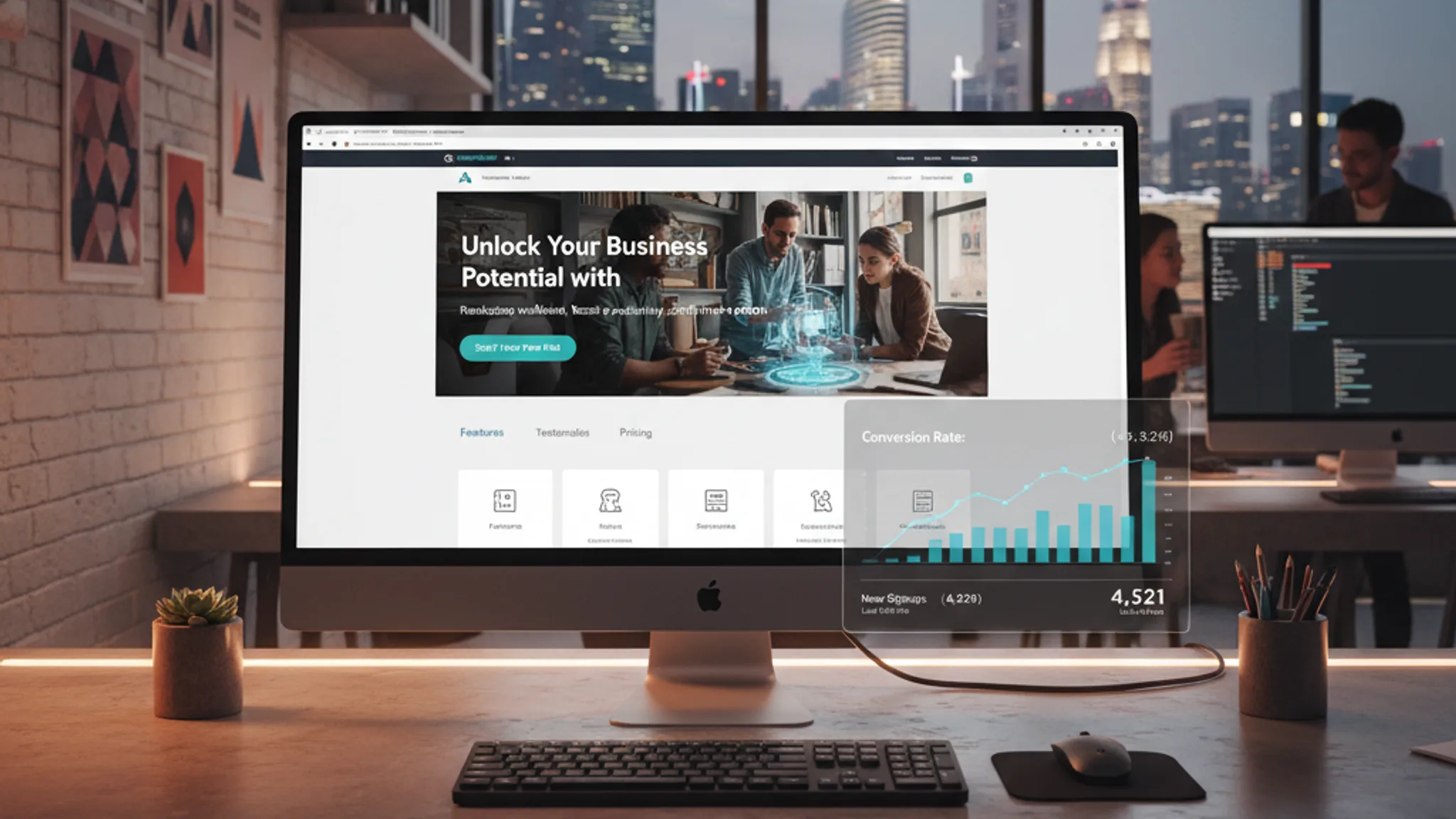




Your website is live. It looks professional. You even paid good money for it. But the enquiry form sits empty, the phone doesn't ring, and you're starting to wonder if anyone actually visits the site at all.
You're not alone. We audit underperforming websites for Singapore businesses every week, and the pattern is remarkably consistent. The site looks fine on the surface, but it's making critical mistakes that silently push visitors away before they ever become leads.
Here's the uncomfortable truth: a beautiful website that doesn't generate leads is just an expensive online brochure. And in 2026, with the cost of digital advertising rising and competition intensifying across every industry in Singapore, you cannot afford a website that doesn't pull its weight.
The 10 most common reasons your website isn't generating leads:
- 1. No clear value proposition above the fold
- 2. Missing or weak calls to action
- 3. Slow page speed killing conversions
- 4. Poor mobile experience
- 5. No trust signals
- 6. Targeting the wrong traffic
- 7. Too many choices, not enough guidance
- 8. No lead magnets or low-commitment CTAs
- 9. Contact forms that ask too much
- 10. No follow-up system
Let's break each one down with specific fixes you can implement.
1. No clear value proposition above the fold
The problem: Visitors land on your homepage and can't figure out what you do, who you do it for, or why they should care. Within 3 seconds, they've already decided whether to stay or leave. If your above-the-fold area is a vague tagline like "Empowering Your Business" over a stock photo of a handshake, you've already lost them.
We see this constantly with Singapore SME websites. The business owner knows exactly what they offer, but their homepage assumes visitors share that knowledge. They don't. Your visitor is a stranger who found you through Google or an ad. They need instant clarity.
The fix: Your above-the-fold section should answer three questions in under 3 seconds:
- What do you do? (e.g., "Custom web design for Singapore businesses")
- Who is it for? (e.g., "SMEs and startups looking to grow online")
- What should I do next? (a clear call-to-action button)
Test it yourself: show your homepage to someone who has never seen it for 5 seconds, then close the screen. Ask them what your company does. If they can't tell you, your value proposition needs work.
A good value proposition is specific, not clever. "We build websites that generate 3x more enquiries for Singapore service businesses" beats "Digital Solutions for the Modern Enterprise" every single time. Include a supporting line that addresses the visitor's primary concern: "No hidden costs. Results in 4 weeks. Over 100 Singapore businesses served." This kind of specificity builds immediate confidence.
Also pay attention to your hero image or visual. A generic stock photo communicates "generic business." A screenshot of your actual work, a photo of your real team, or a visual that demonstrates your product in action communicates credibility. First impressions are formed in milliseconds, and your hero section is doing most of the heavy lifting. Strong copywriting is the foundation of every high-converting website.
2. Missing or weak calls to action
The problem: Your website has no clear next step for visitors. The contact page is buried three clicks deep. Button text says "Submit" or "Click Here" instead of something compelling. Or worse, the only CTA on the entire page is a tiny "Contact Us" link in the footer.
If you don't tell visitors what to do next, they'll do what's easiest: leave.
The fix: Every page on your website should have at least one prominent call to action. Here's what works:
- Use action-oriented button text: "Get a Free Quote", "Book Your Consultation", "See Our Work" outperform generic text by 30-40%
- Place CTAs above the fold: Don't make visitors scroll to find the next step
- Repeat CTAs throughout long pages: After every 2-3 sections of content, include another CTA. Not everyone reads top to bottom
- Use contrasting colours: Your CTA button should visually stand out from everything else on the page
- Add a sticky CTA: A persistent button or bar that follows the user as they scroll keeps the conversion path always visible
We've tested this extensively across client websites. Adding a sticky WhatsApp button alone has increased enquiries by 20-35% for most of our Singapore clients. People want easy, instant ways to reach you.
Another common mistake: using the same CTA everywhere. Your homepage CTA, your service page CTA, and your blog CTA should be different because visitors on each page are at different stages of the buying journey. A blog reader might respond to "Download our free guide" while a service page visitor is ready for "Get your free quote." Matching the CTA to the visitor's intent is what separates websites that convert from websites that just look nice. Landing pages that convert always have CTAs that are impossible to miss and perfectly matched to the visitor's stage.
3. Slow page speed killing conversions
The problem: Your website takes more than 3 seconds to load. According to Google's own research, 53% of mobile visitors abandon a site that takes longer than 3 seconds to load. Every additional second increases bounce rate by roughly 20%.
In Singapore, where internet speeds are among the fastest in the world, visitors are even less patient. If your site loads slowly here, something is fundamentally wrong with how it's built.
The fix: Target these Core Web Vitals benchmarks:
- Largest Contentful Paint (LCP): Under 2.5 seconds. This is how long it takes for the main content to appear
- Interaction to Next Paint (INP): Under 200 milliseconds. This measures how responsive your site feels when clicked
- Cumulative Layout Shift (CLS): Under 0.1. This measures how much the page "jumps around" while loading
Common speed killers and their fixes:
- Unoptimised images: Convert to WebP format and compress. A single unoptimised hero image can add 2-4 seconds to load time
- Too many plugins or scripts: Every third-party script (chat widgets, analytics, social media embeds) adds weight. Audit and remove what you don't need
- Cheap shared hosting: If your hosting costs $5/month, your server response time is probably 800ms+. Upgrading to proper hosting or a CDN can cut load times in half
- No caching: Browser caching means returning visitors load your site almost instantly
Pages that load in under 3 seconds convert 2x better than pages that take 5+ seconds. Speed is not a technical nice-to-have; it directly determines how much revenue your website generates.
Want to know where you stand right now? Run your website through Google PageSpeed Insights and check both mobile and desktop scores. If your mobile score is below 50, speed is actively costing you leads. A score of 80+ is where you want to be.
4. Poor mobile experience
The problem: Over 70% of web traffic in Singapore comes from mobile devices. If your website was designed on a desktop monitor and only "sort of" works on a phone, you're delivering a subpar experience to the majority of your visitors.
Common mobile issues we find during audits: text too small to read without pinching, buttons too close together (causing mis-taps), horizontal scrolling, forms that are impossible to fill out on a phone, and popups that cover the entire screen with no way to close them.
The fix: Proper mobile optimisation goes far beyond "responsive design." Here's what actually matters:
- Touch targets at least 44x44 pixels: Fingers are not mouse cursors. Small buttons and links lead to frustrated visitors
- Font sizes at 16px minimum: Anything smaller forces pinch-to-zoom, which is a UX failure
- Simplified navigation: Your desktop mega-menu needs to become a clean, easy-to-use mobile menu
- Click-to-call phone numbers: Mobile visitors should be able to tap your phone number to call directly
- Forms reduced to 3-4 fields: Nobody fills out a 10-field form on a phone screen
- Fast loading on 4G: Not everyone is on WiFi. Test your site on a mobile connection
Test your site right now: open it on your phone. Try to navigate to your contact page and submit an enquiry. If it takes more than 3 taps or feels clunky at any point, your mobile experience needs work. Read more about UX design principles that drive conversions.
Recommended reads
5. No trust signals
The problem: Your website asks visitors to hand over their contact details or spend money, but gives them zero reason to trust you. No testimonials, no case studies, no client logos, no reviews, no certifications, no portfolio. Just claims with nothing to back them up.
Singapore consumers are savvy and cautious. Before they fill out your contact form, they're asking themselves: "Is this company legitimate? Will they deliver what they promise? What have other people's experiences been?"
The fix: Build trust systematically across your website:
- Testimonials with names and photos: Generic "Great service! - A.T." testimonials are worthless. Use full names, company names, photos, and specific results where possible
- Case studies with measurable results: "We increased their leads by 240% in 3 months" is infinitely more persuasive than "We did a great job"
- Client logos: If you've worked with recognisable brands, display them prominently. Social proof from known companies transfers trust instantly
- Google Reviews widget: Embed your Google Business reviews directly on your site. Real reviews from a third-party platform carry more weight than testimonials you wrote yourself
- Industry certifications and awards: Google Partner, ISO certifications, industry awards. Display them near your CTAs
- Detailed About page: People buy from people. Show your team, your story, your office. A faceless company feels risky
Place trust signals near conversion points. A testimonial right above your contact form reduces friction at the exact moment a visitor is deciding whether to reach out.
For Singapore businesses specifically, displaying your UEN (business registration number) and a physical address goes a long way. Local consumers are wary of fly-by-night operators, and these small details signal that you're a real, registered company. If you have been featured in local media (The Straits Times, CNA, HardwareZone), add a "Featured In" section. Media mentions are powerful trust signals because they imply third-party validation. Conversion rate optimisation is largely about removing doubt at the right moments.
6. Targeting the wrong traffic
The problem: Your website might actually be fine. The real issue could be that you're attracting the wrong visitors. If your SEO targets broad, informational keywords, you'll get traffic from people who are researching, not buying. If your Google Ads send visitors to the wrong landing page, you'll pay for clicks that never convert.
We've audited sites getting 5,000+ monthly visitors with zero leads. The traffic was real, but it was completely unqualified. A blog post ranking for "what is web design" attracts students and curious browsers, not business owners looking to hire a web designer.
The fix: Align your traffic strategy with buyer intent:
- Target commercial and transactional keywords: "web design Singapore pricing" has far higher buying intent than "web design trends." Focus your SEO on keywords that signal someone is ready to hire or buy
- Create dedicated landing pages for each traffic source: Visitors from Google Ads should land on a focused page that matches the ad, not your generic homepage
- Check your Google Analytics: Look at which pages have the highest bounce rates and lowest conversion rates. These pages are attracting the wrong audience or failing to convert the right one
- Qualify traffic with your content: Use phrases like "for Singapore businesses" or "SME pricing from $X" to pre-qualify visitors before they click
- Review your ad targeting: If you're running Google Ads, check your search terms report. You might be paying for completely irrelevant searches
One exercise we run with clients: look at your top 10 landing pages in Google Analytics and classify each one as "informational" or "commercial." If more than 70% of your traffic is landing on informational pages (blog posts, glossary entries, how-to guides) with no conversion path, you have a traffic quality problem, not a traffic volume problem.
A solid lead generation strategy starts with getting the right people to your website, not just more people. Volume without intent is vanity metrics.
7. Too many choices, not enough guidance
The problem: Your homepage presents 15 services, 8 navigation items, 3 popups, a chatbot, a newsletter signup, and links to every social media platform you've ever created an account on. The visitor is overwhelmed and leaves without doing anything.
This is the paradox of choice in action. When people have too many options, they choose none. Research consistently shows that reducing choices increases action. A landing page with a single CTA converts better than one with five competing CTAs.
The fix: Design a clear user journey with intentional guidance:
- One primary CTA per page: Decide the single most important action you want a visitor to take on each page, and make everything else secondary
- Simplify your navigation: Five to seven primary menu items is the sweet spot. If you have more, group them into logical categories
- Use visual hierarchy: Size, colour, and placement should guide the eye from headline to supporting content to call-to-action, in that order
- Remove distractions: Sidebar widgets, auto-playing videos, multiple popup triggers, and social media feeds all compete for attention. Cut anything that doesn't serve the conversion goal
- Progressive disclosure: Don't dump everything on the visitor at once. Show the essentials first, and let interested visitors click to learn more
Think of your website as a physical shop. A good shop layout guides customers naturally from the entrance to the products to the checkout. Your website should do the same, guiding visitors from landing to learning to converting.
Here's a practical test: for each page on your website, write down the single action you want visitors to take. If you can't identify one, or if you identify three, the page needs restructuring. Clarity of purpose at the page level translates to clarity of action for the visitor. Read about common website mistakes killing sales for more examples of how clutter destroys conversions.
8. No lead magnets or low-commitment CTAs
The problem: The only conversion option on your website is "Contact Us" or "Get a Quote." This works for visitors who are ready to buy right now, but that's only about 3% of your total traffic. The other 97% are still researching, comparing options, or not yet convinced. You're letting them leave with nothing.
Think of it this way: if a visitor isn't ready to commit to a meeting with you, your website offers them zero reason to interact. They browse, they leave, they forget you exist.
The fix: Create a conversion ladder with options for every stage of the buyer journey:
- Low commitment (top of funnel): Free downloadable guides, checklists, or templates. "Download our 2026 Website Audit Checklist" captures an email from someone who isn't ready to talk to you yet
- Medium commitment (middle of funnel): Free website audit, interactive tools (like a cost calculator or ROI estimator), or a short quiz that recommends a service based on their answers
- High commitment (bottom of funnel): Book a consultation, request a quote, schedule a call
Each level captures a different segment of your audience. The people who download your free guide today might request a quote three months from now, but only if you've stayed in touch. Without that initial capture, they're gone forever.
For Singapore service businesses, we've found that offering a free, no-obligation audit or assessment consistently outperforms generic "Contact Us" forms by 3-5x. People want value before they commit.
The key insight here is that most of your website visitors are not ready to buy today. They're comparing options, doing research, or just casually browsing. If the only path you offer is "buy now," you're ignoring the vast majority of your potential customers. A well-designed conversion ladder captures visitors at every stage and nurtures them toward a purchase decision over time. Our CRO service helps you build these conversion pathways from top to bottom of the funnel.
9. Contact forms that ask too much
The problem: Your contact form has 10 to 15 fields: name, email, phone, company name, company size, industry, budget range, project timeline, how you heard about us, a CAPTCHA, and a 500-character message box marked as required. Every additional field is a reason for a visitor to abandon the form.
Research from Baymard Institute shows that overly complex forms are one of the top reasons for abandonment. Each field you add reduces form completion rates by approximately 7-10%.
The fix: Reduce your form to the essentials and follow these guidelines:
- 3-4 fields is optimal: Name, email, phone (optional), and a message field. That's it. You can gather more information during the follow-up call
- Mark only truly required fields: If you can follow up with just an email address, make the phone number optional
- Use smart defaults: Pre-select the most common options in dropdown menus. Auto-detect country codes for phone numbers
- Add inline validation: Show errors as the user types, not after they hit submit. Nothing is more frustrating than filling out a long form only to get a generic "Please fix errors" message at the top
- Add a WhatsApp option: Many people in Singapore prefer WhatsApp over email forms. A "Message us on WhatsApp" button next to your form can capture leads who would otherwise bounce
- Use multi-step forms for complex requests: If you genuinely need a lot of information, break the form into steps with a progress bar. Each step should have 2-3 fields maximum. Completion rates increase when people feel they're making progress
We've seen clients double their form submissions simply by reducing fields from 8 to 4. You don't need a visitor's life story to start a conversation. Get the lead first, qualify them second.
One more thing: make sure your form actually works. It sounds obvious, but we've audited sites where the contact form had been broken for months and nobody noticed because they weren't tracking submissions. Test your form once a month. Submit a test enquiry and verify the email arrives. A broken form is worse than no form at all, because visitors think they've reached out and then never hear back.
10. No follow-up system
The problem: This one isn't a website design issue, but it kills lead generation just as effectively. A lead fills out your contact form at 9pm on a Tuesday. You see the email the next morning, get busy with client work, and finally respond on Thursday afternoon. By then, that lead has already contacted three of your competitors and chosen one.
HubSpot research shows that responding to a lead within 5 minutes makes you 21x more likely to qualify them compared to responding after 30 minutes. Speed matters enormously.
The fix: Build a follow-up system that responds faster than your competitors:
- Automated acknowledgement emails: The moment someone submits a form, send an instant email confirming receipt and setting expectations ("We'll get back to you within 2 hours")
- Mobile notifications for new leads: Get push notifications on your phone for every form submission, not just an email that sits in your inbox
- Aim to respond within 1 hour during business hours: If you can't manage that, you need to delegate or automate
- WhatsApp for instant response: Leads that come through WhatsApp naturally get faster responses because the conversation is already open on your phone
- CRM integration: Even a simple system like HubSpot Free or a Google Sheets automation ensures no lead falls through the cracks
- Follow-up sequences: If the first response doesn't get a reply, have a scheduled follow-up at 24 hours and 72 hours. Many leads need a gentle reminder
The best-designed website in the world won't help if leads go cold before you respond. Your website's job is to generate the lead; your follow-up system's job is to convert it into a customer.
Here's a simple way to measure this: check how long it takes your team to respond to the last 10 enquiries. Calculate the average. If it's more than 2 hours, you're losing leads to faster competitors. In competitive industries like renovation, tuition, and professional services in Singapore, the first responder wins the client more often than the best responder.
How to audit your own website for lead generation issues
Before you hire anyone to fix your website, run through this self-audit. It takes about 30 minutes and will reveal the most critical issues.
Step 1: The 5-second test. Open your homepage and count to 5. Can you immediately tell what the business does, who it's for, and what to do next? Ask someone outside your company to do this too.
Step 2: Mobile check. Open your website on your phone. Navigate to your contact page and attempt to fill out the form. Note anything that feels clunky, hard to read, or requires too many taps.
Step 3: Speed test. Run your homepage through Google PageSpeed Insights. If your mobile performance score is below 50, speed is hurting your conversions. Target 80+ for good results.
Step 4: CTA audit. Visit each page on your site and count the number of calls-to-action. If any page has zero CTAs, that's a dead end for your visitors. Every page should guide visitors toward a next step.
Step 5: Trust signal check. Look for testimonials, case studies, client logos, and reviews on your site. Are they visible near your CTAs? If your trust signals are all on one page that nobody visits, they're not doing their job.
Step 6: Form friction test. Count the fields in your contact form. If it's more than 5, simplify it. Time how long it takes to fill out on mobile. More than 30 seconds is too long.
Step 7: Analytics review. Open Google Analytics and check: (a) your overall bounce rate (above 60% is a red flag), (b) which pages have the highest exit rates (these are where you're losing people), (c) your conversion rate (if it's below 1%, your site is significantly underperforming).
Step 8: Competitor comparison. Visit three competitors' websites and go through the same steps. Note what they do better than you. This isn't about copying; it's about understanding the baseline your potential customers are comparing you against.
If this audit reveals more than three issues, it's worth getting a professional review. We offer free website assessments for Singapore businesses that want an expert perspective on what's holding their site back.
What conversion rate should you expect?
One of the most common questions we get is: "What's a good conversion rate?" The answer depends on your industry, traffic source, and what counts as a conversion. Here are benchmarks based on our experience with Singapore business websites:
- Service businesses (agencies, consultancies, clinics): 2-5% conversion rate is good. Above 5% is excellent
- E-commerce: 1-3% is the typical range in Singapore. Above 3% puts you in the top tier
- B2B / professional services: 1-3% for general website traffic. Dedicated landing pages from paid ads should hit 5-10%
- Dedicated landing pages (paid traffic): 5-15% is achievable with proper optimisation. Below 3% means the page needs work
Important context for these numbers:
- Traffic quality matters more than traffic volume. 500 visitors from targeted Google Ads will generate more leads than 5,000 visitors from generic social media posts
- Conversion rate varies by traffic source. Organic search traffic typically converts at 2-3x the rate of social media traffic because search visitors have higher intent
- If your bounce rate is above 60%, your messaging is the problem. Visitors are landing and immediately leaving, which means the page doesn't match their expectations or needs
- A "conversion" should be clearly defined. For most service businesses, this means a form submission, a phone call, or a WhatsApp message. Don't count page views or newsletter signups as primary conversions
If your conversion rate is below 1%, you likely have multiple issues from the list above. Start with the quick wins (CTA improvements, form simplification, speed fixes) and work your way toward the bigger structural changes.
One benchmark that surprises many business owners: the average Singapore SME website converts at just 0.5-1.5%. Most businesses assume their site is "good enough" because they get some enquiries, but they don't realise they're leaving 70-80% of potential leads on the table. Even improving from 1% to 2.5% means 2.5x more leads from the same traffic, without spending an extra dollar on advertising.
Track your conversion rate monthly. If it's trending down, something has changed (competitor landscape, traffic quality, or a broken element on your site). If it's flat, there's room to optimise. If it's trending up, keep doing what you're doing and test further improvements.
A website that isn't generating leads is a website with fixable problems. In almost every case, the issue isn't that "websites don't work for our industry" or "our customers don't use the internet." The issue is specific, identifiable, and solvable.
Start with the self-audit above. Identify the 2-3 biggest issues on your site. Fix the quick wins first (form fields, CTA placement, speed optimisation), then tackle the deeper structural problems (value proposition, user journey, trust signals).
If your website is more than 2-3 years old, or if it was built by a developer who focused on design but not conversions, a strategic rebuild may be the most cost-effective path forward. Every month you run an underperforming website is a month of lost leads and lost revenue.
We've helped dozens of Singapore businesses transform their websites from digital brochures into lead generation machines. If you want to understand exactly what's holding your site back, reach out for a free website assessment. We'll audit your site, identify the specific issues, and give you a clear action plan to fix them.
You can also explore our web design services or read about conversion rate optimisation strategies for more ways to turn your website into a genuine business asset.
Sources & References (5)
- https://web.dev/articles/vitals
- https://www.thinkwithgoogle.com/marketing-strategies/app-and-mobile/mobile-page-speed-new-industry-benchmarks/
- https://www.statista.com/statistics/975069/internet-usage-rate-singapore/
- https://baymard.com/lists/cart-abandonment-rate
- https://www.hubspot.com/marketing-statistics

Written by
Terris
Founder & Lead Strategist
Terris has audited and fixed dozens of underperforming websites for Singapore businesses. He identifies the specific issues killing conversions and implements data-driven fixes that turn websites into lead generation machines.
Want to see these strategies in action? Browse our portfolio or get in touch to discuss your project.