

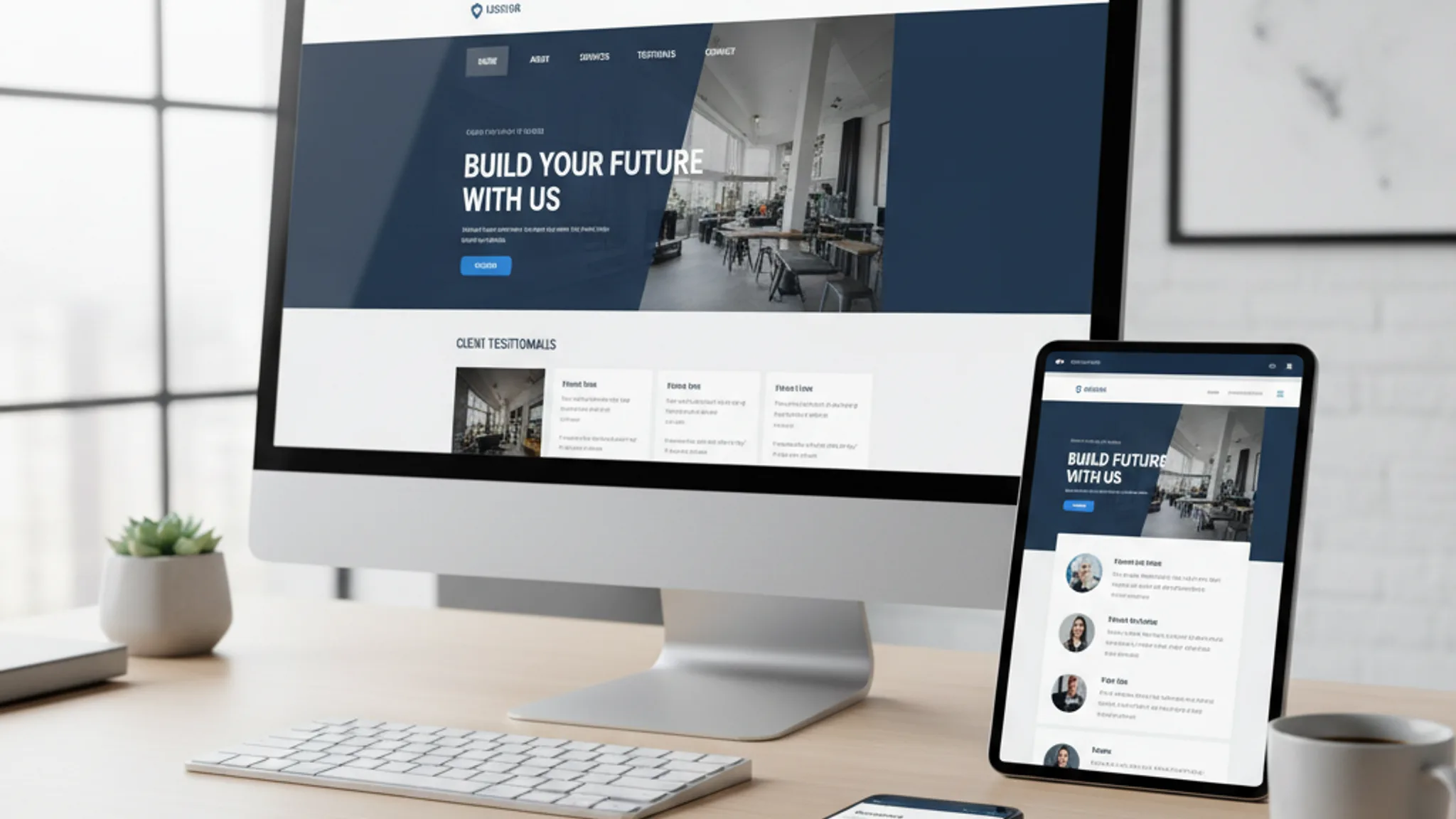
Your website is your most important salesperson. It works 24/7, handles hundreds of conversations at once, and never calls in sick. But only if it has the right features.
After building websites for over 100 Singapore businesses, we've seen the same pattern play out dozens of times: a company invests in a beautiful website, but it lacks the fundamental features visitors expect. Traffic comes in. Nobody converts. The business blames "online marketing" when the real problem is the website itself.
Here are the 15 features every business website needs in 2026, ranked by impact:
- 1. Mobile-responsive design
- 2. Fast page speed (under 3 seconds)
- 3. SSL certificate (HTTPS)
- 4. Clear, intuitive navigation
- 5. Compelling homepage with a clear value proposition
- 6. Dedicated service or product pages
- 7. About page with real people and your story
- 8. Contact page with multiple options
- 9. Testimonials and social proof
- 10. Blog or resources section
- 11. SEO fundamentals (meta titles, descriptions, schema markup)
- 12. Analytics and conversion tracking
- 13. PDPA-compliant privacy policy and cookie consent
- 14. WhatsApp or live chat integration
- 15. Clear calls to action on every page
Features 1 through 8 are must-haves. Without them, your website is fundamentally broken. Features 9 through 15 are high-impact additions that separate good websites from great ones. Let's break each one down.
1. Mobile-responsive design
Every business website needs mobile-responsive design. This is not optional. Singapore's smartphone penetration sits at 97%, and over 70% of web traffic comes from mobile devices. If your site doesn't look and function perfectly on a phone screen, you're turning away the majority of your visitors before they even read a word.
Mobile-responsive design means your website automatically adjusts its layout, images, and navigation to fit any screen size. Text stays readable without pinch-to-zoom. Buttons are large enough to tap with a thumb. Forms are short enough to complete on a phone.
Here's what a properly mobile-responsive site includes:
- Touch targets at least 44x44 pixels so buttons and links are easy to tap
- Font sizes of 16px minimum for body text (anything smaller triggers browser auto-zoom on iOS)
- Simplified navigation with a clean hamburger or bottom nav menu
- Forms with 3 to 4 fields maximum, because nobody fills in 12 fields on a phone
- Images that scale and compress for smaller screens and slower connections
Google uses mobile-first indexing, which means it primarily uses the mobile version of your site for ranking. A desktop-only site will rank lower, full stop. We have seen businesses double their organic traffic simply by making their existing site properly responsive. It's the single highest-impact feature on this list.
2. Fast page speed (under 3 seconds)
Every business website needs fast page speed. According to Google's research, 53% of mobile visitors abandon a page that takes longer than 3 seconds to load. That's more than half your traffic gone before they see your content.
Speed also directly affects your Google rankings. Core Web Vitals (Largest Contentful Paint, Cumulative Layout Shift, and Interaction to Next Paint) are confirmed ranking factors. Websites that score well on these metrics get a measurable boost in search results.
The most common speed killers we see on Singapore business websites:
- Unoptimised images: a single uncompressed hero image can be 3MB or more. Converting to WebP typically reduces file size by 70-80%
- Too many plugins or scripts: every third-party script (chat widgets, analytics, social embeds) adds to load time
- Cheap shared hosting: if your host serves from a US data centre, Singapore visitors experience 200-300ms of additional latency on every request
- Render-blocking CSS and JavaScript: resources that prevent the browser from displaying content until they finish loading
Our target for every site we build is under 2 seconds for Largest Contentful Paint. We achieve this by using modern image formats, static-site generation (which pre-builds every page), and hosting on CDNs with Singapore edge servers. The difference is dramatic: one client saw their bounce rate drop from 68% to 31% after we optimised their page speed.
3. SSL certificate (HTTPS)
Every business website needs an SSL certificate. If your URL starts with "http://" instead of "https://", browsers will show a "Not Secure" warning to every visitor. That warning alone kills trust instantly.
SSL (Secure Sockets Layer) encrypts the data transmitted between your website and your visitors' browsers. This protects sensitive information like contact form submissions, login credentials, and payment details from being intercepted.
Three reasons SSL is non-negotiable:
- Trust signal: 85% of online shoppers avoid websites that aren't secure. Even if you're not selling online, that "Not Secure" label makes visitors question your legitimacy
- Google ranking factor: Google has confirmed that HTTPS is a ranking signal. All else being equal, a secure site outranks an insecure one
- PDPA compliance: under Singapore's Personal Data Protection Act, businesses are required to protect personal data. Collecting form submissions over an unencrypted connection is a compliance risk
The good news: SSL certificates are free through services like Let's Encrypt, and most modern hosting platforms (Vercel, Netlify, and even shared hosts) include them automatically. There is zero reason for any business website to be running without HTTPS in 2026.
4. Clear, intuitive navigation
Every business website needs clear navigation. If visitors can't find what they're looking for within 2 to 3 clicks, they leave. It's that simple.
The best-performing navigation structures we've built follow a few consistent rules:
- 5 to 7 main navigation items: more than that creates decision fatigue. If you have 15 services, group them under categories
- Descriptive labels, not clever ones: "Services" works. "Our Solutions" is vague. "What We Do" is worse. Say exactly what the page is
- Consistent placement: horizontal top nav on desktop, hamburger menu on mobile, with the logo linking back to the homepage
- Visible contact option: a "Contact" or "Get a Quote" button should always be visible in the header, not buried in the footer
- Breadcrumbs on deeper pages: these help visitors understand where they are and how to navigate back, especially on service or blog pages
One pattern that consistently increases conversions is a sticky CTA bar: a persistent call-to-action button that follows the visitor as they scroll. Combined with clean top navigation, it keeps the path to conversion always visible. We've seen this increase enquiry rates by 25-35% across multiple client sites.
Test your navigation by asking someone who has never seen your site to find a specific piece of information. If they struggle, your navigation needs work.
5. Compelling homepage with a clear value proposition
Every business website needs a homepage that tells visitors exactly what you do, who you do it for, and why they should care. You have about 5 seconds to make this clear before they leave.
The most common mistake we see on Singapore business websites is a homepage that looks nice but says nothing useful. A large hero image, a vague tagline like "Innovative Solutions for Modern Businesses", and no clear direction for what to do next. That's not a homepage; it's a dead end.
A high-converting homepage includes:
- A clear headline that states what you do and who you serve. "Web Design for Singapore SMEs" beats "Welcome to Our Website" every time
- A supporting subheadline that adds specificity: "We build fast, SEO-optimised websites that generate leads"
- One primary call to action: "Get a Free Quote", "Book a Consultation", "See Our Work". Not five different buttons competing for attention
- Trust signals above the fold: client logos, review ratings, or a short testimonial
- A brief overview of your services with links to dedicated pages
Your homepage is not the place to tell your entire story. It's a routing page. Its job is to make visitors confident they're in the right place and then guide them to the page that answers their specific question. Keep it focused, keep it scannable, and make the next step obvious.
6. Dedicated service or product pages
Every business website needs dedicated pages for each major service or product. One of the biggest website mistakes killing sales is cramming all your services onto a single page.
Here's why individual service pages matter:
- SEO targeting: each page can target a specific keyword. A page about "web design Singapore" and a page about "SEO services Singapore" each rank for their own terms. A combined "Our Services" page struggles to rank for either
- Visitor relevance: someone searching for "logo design Singapore" wants to land on a page specifically about logo design, not a generic services overview where they have to scroll to find what they need
- Conversion optimisation: each service page can have a tailored call to action. The CTA for a $500 logo design is different from the CTA for a $10,000 website project
A strong service page includes: a clear description of what the service involves, who it's for, the process or methodology, pricing guidance (even a range helps), relevant case studies or examples, and a specific call to action. Our web design service page follows this exact structure.
If you offer more than 3 services, each one deserves its own page. The extra effort in creating these pages pays for itself many times over through improved search rankings and higher conversion rates.
Recommended reads
7. About page with real people and your story
Every business website needs an about page, and it needs to feature real people. This might surprise you, but the about page is consistently one of the top 3 most-visited pages on business websites. Visitors want to know who they're dealing with before they make contact.
The worst about pages are the ones that read like a corporate annual report: "Founded in 2015, XYZ Pte Ltd is a leading provider of integrated solutions..." Nobody connects with that. Nobody trusts it.
What actually works:
- Real photos of your team: not stock photos of models in suits. Visitors can spot stock images immediately, and it damages trust
- Your story: why you started the business, what problem you solve, what drives you. This creates an emotional connection that generic corporate copy never will
- Credentials and experience: years in business, number of clients served, certifications, awards. Be specific with numbers
- Your values or approach: what makes you different from the other 500 companies offering similar services in Singapore
Singapore is a relationship-driven market. People do business with people they trust. Your about page is where that trust starts. Invest time in getting it right.
8. Contact page with multiple options
Every business website needs a contact page that gives visitors multiple ways to reach you. Different people have different communication preferences. Some prefer email. Some want to call. Many Singaporeans default to WhatsApp. If you only offer one option, you're losing the people who prefer a different channel.
A complete contact page includes:
- A contact form with 3 to 5 fields maximum (name, email, phone, message, and optionally a service dropdown). Every additional field reduces completion rates by roughly 10%
- Phone number that's clickable on mobile (use the tel: link format)
- Email address that's clickable (use the mailto: link format)
- WhatsApp link for instant messaging (this is Singapore, WhatsApp is practically essential)
- Physical address with an embedded Google Map if you have an office visitors can come to
- Business hours so visitors know when to expect a response
Two important details most businesses miss: first, your contact page should include a brief reassurance about what happens after someone submits the form ("We'll respond within 24 hours"). Second, the contact page should be accessible from every page on your site, not just the main navigation. A "Contact Us" link in the footer and contextual CTAs throughout your content make a measurable difference.
9. Testimonials and social proof
Every business website needs social proof. According to BigCommerce research, websites with testimonials convert up to 34% better than those without. People trust other people's experiences more than anything a business says about itself.
Effective social proof comes in several forms:
- Client testimonials: short, specific quotes with real names, job titles, and company names. "Great service!" means nothing. "TerrisDigital redesigned our website and our enquiries increased by 180% in three months" tells a story
- Google reviews: embed or link to your Google Business Profile reviews. These carry extra weight because visitors know they can't be faked
- Case studies: detailed stories of how you helped specific clients, with measurable results. These are especially powerful for high-value services
- Client logos: a row of recognisable logos signals credibility instantly, even if visitors don't read the testimonials
- Numbers and statistics: "100+ projects completed", "4.9 star rating", "8 years in business". Concrete numbers are more persuasive than vague claims
Place your strongest testimonial or trust signal on the homepage, above the fold if possible. Then include relevant testimonials on service pages and a dedicated testimonials or case studies section. Social proof should be woven throughout your site, not confined to a single page.
10. Blog or resources section
Every business website needs a blog or resources section. This is the feature most businesses either skip entirely or start and then abandon after three posts. Both are missed opportunities.
A blog serves three strategic purposes:
- SEO: long-tail keyword targeting. Your service pages target high-competition terms like "web design Singapore." Blog posts capture specific, lower-competition queries like "how much does a website cost in Singapore" or "best web design trends 2026." Each post is a new entry point from search engines
- Authority building: consistent, helpful content positions you as an expert. When a potential client reads three useful articles from you before reaching out, the sales conversation is already half won
- Content for other channels: blog posts feed your social media, email newsletters, and even Google Ads. One good blog post can be repurposed into a dozen pieces of content
The key is consistency over volume. One well-researched, genuinely useful post per month beats four rushed posts that nobody reads. Each post should target a specific question your potential clients are searching for, provide a thorough answer, and include a clear next step (like contacting you for help with implementation).
Not sure what to write about? Start with the questions your clients ask you most often. Those are exactly the questions people are searching for online. For tips on writing content that converts, see our guide on website copywriting that actually converts.
11. SEO fundamentals (meta titles, descriptions, schema markup)
Every business website needs SEO fundamentals built into its foundation. You can have the best-looking site in Singapore, but if search engines can't understand and index your content properly, nobody will find it.
The essential SEO elements every page needs:
- Unique meta title (50-60 characters): this is what appears as the blue link in Google results. It should include your target keyword and be compelling enough to click. "Web Design Singapore | TerrisDigital" works. "Home" does not
- Meta description (150-160 characters): the summary text below the title in search results. Not a direct ranking factor, but it significantly affects click-through rates. Write it like an ad for your page
- Header hierarchy: one H1 per page containing your primary keyword, followed by H2s and H3s that break up your content logically. Search engines use these to understand page structure
- Image alt text: descriptive text for every image. This helps both accessibility and image search rankings
- Schema markup: structured data (JSON-LD format) that tells search engines exactly what your page is about. LocalBusiness schema, FAQ schema, and Service schema can earn you rich snippets in search results, which dramatically increase click-through rates
A common misconception is that SEO is something you "add on" after the website is built. In reality, the best SEO is baked into the site architecture from day one. URL structure, internal linking, page speed, mobile responsiveness, and content hierarchy all contribute to rankings. If your website was built without SEO in mind, you're fighting an uphill battle.
12. Analytics and conversion tracking
Every business website needs analytics and conversion tracking. Without them, you're flying blind. You have no idea which pages are working, where visitors drop off, or whether your marketing spend is generating returns.
The minimum analytics setup every Singapore business website should have:
- Google Analytics 4 (GA4): tracks visitors, page views, session duration, traffic sources, and user behaviour. It's free and provides more data than most businesses know what to do with
- Google Search Console: shows which search queries bring visitors to your site, your average position for each keyword, and any technical issues affecting your indexing
- Conversion tracking: define and track specific actions that matter to your business, such as form submissions, phone calls, WhatsApp clicks, or file downloads. Without conversion tracking, you know how much traffic you get but not how much of it turns into actual business
- Google Tag Manager: a container that makes it easy to add and manage tracking codes without editing your website's source code
If you're running paid advertising (Google Ads, Meta Ads), conversion tracking is especially critical. You need to know which campaigns, keywords, and ads generate leads, not just clicks. We've seen businesses waste thousands of dollars on ads that drive traffic to pages with 0% conversion rate, simply because nobody set up proper tracking.
Set up analytics from day one. Even if you don't look at the data immediately, having historical data is invaluable when you eventually want to optimise.
13. PDPA-compliant privacy policy and cookie consent
Every business website needs a PDPA-compliant privacy policy and cookie consent mechanism. Singapore's Personal Data Protection Act requires businesses to inform users about how their personal data is collected, used, and disclosed. If your website collects any personal information (and if you have a contact form, it does), you need a privacy policy.
What PDPA compliance requires for your website:
- A privacy policy page that clearly explains what data you collect, why you collect it, how you use it, and how users can request access or deletion
- Cookie consent: if you use analytics, advertising pixels, or any third-party scripts that set cookies, you need to inform visitors and obtain consent before those cookies are placed
- Secure data handling: form submissions should be transmitted over HTTPS, and stored data should be protected with appropriate security measures
- Data retention policy: you should only keep personal data for as long as it's needed for its intended purpose
Non-compliance can result in fines of up to S$1 million under the PDPA. Beyond the legal risk, privacy compliance is also a trust signal. Visitors who see a clear privacy policy and a professional cookie consent banner feel more confident doing business with you. It signals that you take their data seriously.
Most Singapore business websites we audit have either no privacy policy or a generic copy-paste template that doesn't reflect their actual data practices. Get this right. It protects your business and builds trust with your visitors.
14. WhatsApp or live chat integration
Every business website needs a messaging option. In Singapore, WhatsApp is the dominant messaging platform, with over 5 million active users. When a potential client visits your site and has a question, their instinct is to message you, not fill in a form and wait 24 hours for a reply.
WhatsApp integration is remarkably simple and effective:
- A floating WhatsApp button in the corner of your screen that opens a pre-filled message to your business number
- Click-to-chat links on your contact page and within service pages
- Pre-populated messages that include the page the visitor was viewing, so you have context when they reach out
We've added WhatsApp buttons to dozens of Singapore business websites, and the results are consistently positive. One client in the home renovation industry saw a 45% increase in monthly enquiries after adding a WhatsApp widget, because many of their customers preferred instant messaging over email or phone calls.
If your business has the capacity for real-time responses, live chat tools like Tidio or Crisp take this further by allowing conversations directly on your website. However, live chat only works if someone is actually available to respond quickly. An unanswered live chat is worse than no live chat at all. For most Singapore SMEs, a WhatsApp button is the perfect balance of convenience and practicality.
15. Clear calls to action on every page
Every business website needs clear calls to action (CTAs) on every single page. This is the feature that ties everything else together. You can have a fast, beautiful, mobile-friendly website with great content, but if you don't tell visitors what to do next, they'll leave without taking action.
The most common CTA mistakes we see:
- No CTA at all: the page just... ends. The visitor finishes reading, has nowhere to go, and leaves
- Too many CTAs competing: "Call us! Email us! Download this! Follow us on Instagram! Subscribe! Get a quote!" Five options means none of them stand out
- Vague CTAs: "Learn More" and "Click Here" tell the visitor nothing about what happens next. "Get Your Free Website Audit" tells them exactly what they'll receive
- CTAs hidden at the bottom: if your only CTA is a contact form at the very end of a long page, most visitors won't scroll far enough to see it
Best practices for CTAs that convert:
- One primary CTA per page: every page should have a single most-important action you want visitors to take
- Action-oriented language: start with a verb. "Get a Quote", "Book a Consultation", "See Our Portfolio". These perform better than passive phrases like "Our Services"
- Visual contrast: your CTA button should be the most visually prominent element in its section. Use your brand's accent colour and enough white space around it
- Strategic placement: include CTAs above the fold, after key sections, and at the end of pages. On long pages, repeat your CTA every 2 to 3 scroll depths
- Reduce friction: "Get a Free Quote (No Obligation)" converts better than "Get a Quote" because it addresses the hesitation visitors feel before committing
Review every page on your website and ask: "What do I want a visitor to do after reading this?" If the answer isn't immediately obvious on the page itself, you need a stronger CTA.
Must-have vs nice-to-have: where to start
If your budget is limited (and for most Singapore SMEs, it is), here's how to prioritise. The must-have features (1 through 8) form the foundation. Without them, your website cannot function as an effective business tool. Start here.
- Tier 1 (non-negotiable): mobile-responsive design, fast page speed, SSL certificate, clear navigation, compelling homepage, service pages, about page, contact page
- Tier 2 (high impact): testimonials, blog, SEO fundamentals, analytics. Add these as soon as your foundation is solid
- Tier 3 (competitive advantage): PDPA compliance, WhatsApp integration, strategic CTAs. These separate good websites from great ones
That said, a well-built website should include all 15 features from the start. The cost difference between a website with these features and one without them is marginal compared to the revenue difference they create. If you're wondering about costs, our guide on how much a website costs in Singapore breaks down what to expect at every price point.
Frequently asked questions
What is the most important feature a business website needs?
Mobile-responsive design is the single most important feature. With 97% smartphone penetration in Singapore and Google's mobile-first indexing, a non-responsive website loses the majority of its potential visitors and ranks lower in search results. Every other feature depends on visitors being able to access and use your site properly on any device.
How many pages should a business website have?
At minimum, a business website needs 5 to 7 core pages: homepage, about page, one page per major service or product category, a contact page, and a privacy policy. Businesses with multiple services should have dedicated pages for each service. Most effective Singapore business websites have 10 to 30 pages when you include individual service pages, a blog, and supporting content.
Do I really need a blog on my business website?
Yes, if you want organic traffic from search engines. Each blog post targets specific keywords your potential customers are searching for. Without a blog, your website is limited to ranking for the keywords on your service pages. With a blog, every post is a new opportunity to appear in search results. Quality matters more than quantity: one well-written post per month is enough to see results.
What is the best way to add social proof to my website?
Start with client testimonials that include specific results (numbers, percentages, outcomes), real names, and company names. Add a row of client logos on your homepage. Link to your Google reviews. If you have detailed success stories, create case study pages. Place your strongest social proof on your homepage and on service pages where visitors make decisions.
Is PDPA compliance really necessary for a small business website?
Yes. The Personal Data Protection Act applies to all organisations in Singapore, regardless of size. If your website collects any personal data through contact forms, newsletter signups, or analytics cookies, you need a privacy policy and appropriate consent mechanisms. Fines for non-compliance can reach S$1 million, but even setting aside the legal risk, privacy compliance builds trust with your visitors.
How do I know if my website has all the essential features?
Use this article as a checklist. Go through each of the 15 features and honestly assess whether your website includes it. For technical features like page speed and SEO, use free tools like Google PageSpeed Insights and Google Search Console. For UX and design features, ask someone unfamiliar with your business to navigate your site and note where they get confused or stuck.
These 15 features are not optional extras or design trends that will fade next year. They are the fundamental building blocks of a business website that generates leads, builds trust, and supports growth. Every successful Singapore business website we've built includes all of them.
If your current website is missing several of these features, you don't necessarily need to start from scratch. Sometimes a strategic redesign or targeted improvements can bring an underperforming site up to standard. The important thing is knowing what "good" looks like so you can measure the gap.
We've helped over 100 Singapore businesses build websites with these features built in from day one. If you want to see how your current site measures up, or you're ready to build something better, explore our web design service or get in touch for a free website audit.
Sources & References (6)
- https://www.statista.com/statistics/975069/internet-usage-rate-singapore/
- https://web.dev/articles/vitals
- https://www.pdpc.gov.sg/overview-of-pdpa/the-legislation/personal-data-protection-act
- https://www.thinkwithgoogle.com/marketing-strategies/app-and-mobile/mobile-page-speed-new-industry-benchmarks/
- https://support.google.com/analytics/answer/10089681
- https://www.bigcommerce.com/articles/ecommerce/social-proof/

Written by
Terris
Founder & Lead Strategist
Terris has built websites for over 100 Singapore businesses across every industry. He knows which features actually drive results and which ones are just nice-to-haves that waste your budget.
Want to see these strategies in action? Browse our portfolio or get in touch to discuss your project.