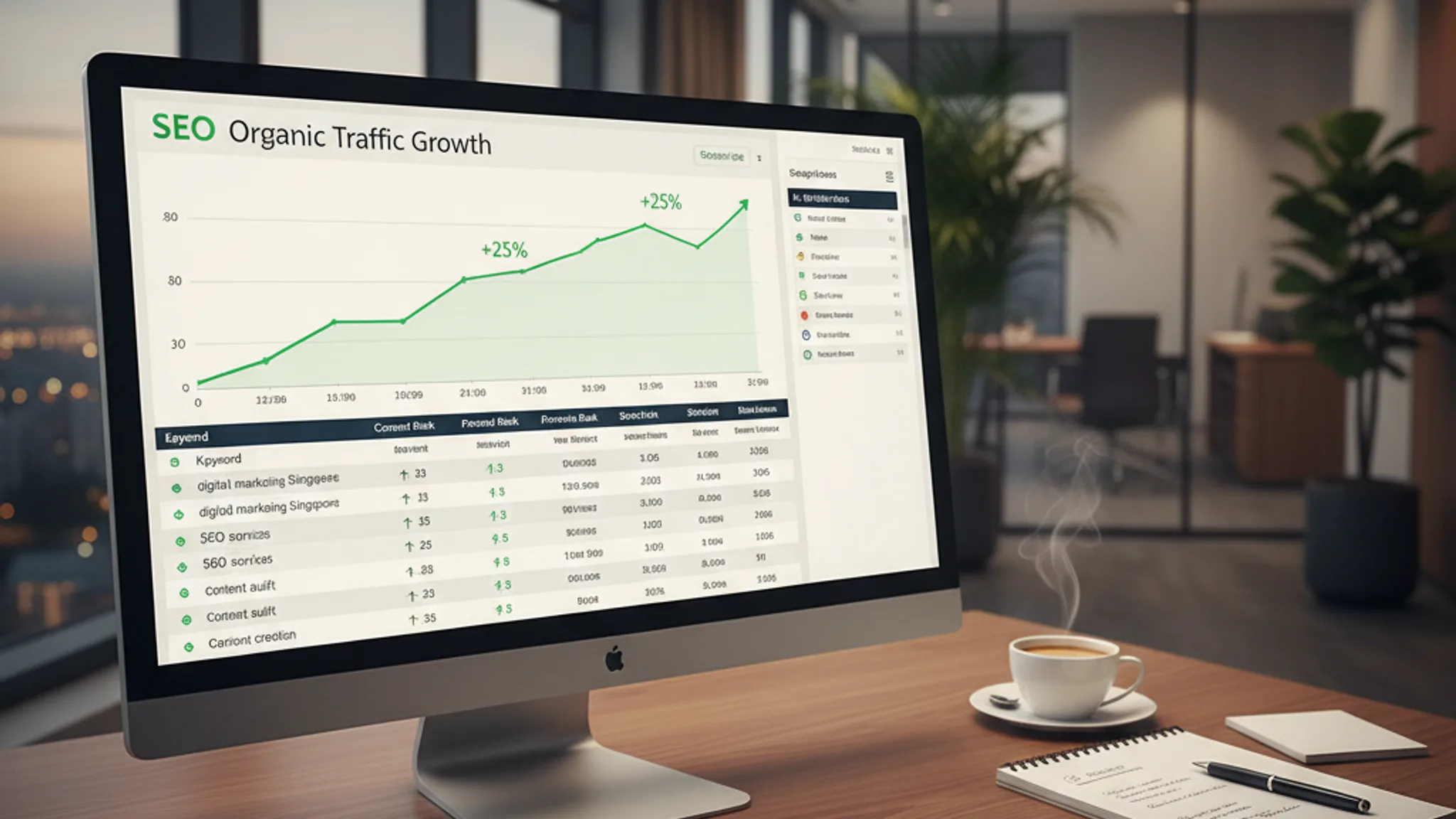




Running SEO without proper tools is like navigating Singapore's roads without Google Maps, technically possible, but you'll waste hours and probably end up lost. The right best SEO tools Singapore businesses can rely on turn guesswork into data-driven decisions, whether you're tracking keyword rankings, auditing your site for technical issues, or figuring out why your competitor keeps outranking you.
We manage SEO campaigns for Singapore businesses across dozens of industries. Every tool on this list is something we've tested extensively on real client projects, not a tool we read about in a listicle and added for padding. Some are free. Some are worth every dollar. A few will surprise you with how much you can accomplish without spending anything at all.
Here are the 10 SEO tools we recommend in 2026, organised from free essentials to paid powerhouses, with honest assessments of what's worth the investment for businesses at different stages. (New to SEO entirely? Start with our complete SEO guide for Singapore small businesses first, then come back here for the tools.)
Key Takeaways
- 1 1. Google Search Console: the non-negotiable starting point
- 2 2. Google Analytics 4: understanding what visitors do after they land
- 3 3. Ahrefs: the best all-round SEO toolkit
- 4 4. SEMrush: the best SEO tools suite for competitive intelligence
- 5 5. Screaming Frog SEO Spider: the technical SEO workhorse
1. Google Search Console: the non-negotiable starting point
If you use only one SEO tool, make it this one. Google Search Console (GSC) is the only tool that gives you data straight from Google itself, not estimates, not projections, but actual search queries people used to find your site, the pages they landed on, and where you ranked for each term.
For Singapore businesses, GSC is especially valuable because it lets you filter performance data by country. You can see exactly how your site performs for searches originating in Singapore versus other markets, which is critical when your target audience is local. We use this daily when managing keyword research for clients, there's no better way to discover which terms are already driving impressions but could convert to clicks with better optimisation.
The Index Coverage report is equally important. It tells you which pages Google has indexed, which ones it's ignoring, and why. We've caught everything from accidental noindex tags to crawl errors that were silently killing traffic for weeks. The URL Inspection tool lets you request re-indexing for updated pages, which is invaluable when you've just published a new service page and want it appearing in results as quickly as possible.
GSC also surfaces Core Web Vitals data and mobile usability issues, both of which directly affect your rankings. If you haven't set this up yet, stop reading and do it now. It takes five minutes.
Website: search.google.com
Best for: Monitoring real search performance, identifying indexing issues, and discovering keyword opportunities.
Pricing: Completely free.
Standout strength: First-party data directly from Google, no other tool can replicate this.
2. Google Analytics 4: understanding what visitors do after they land
Search Console tells you how people find your site. Google Analytics 4 (GA4) tells you what they do once they arrive. Together, they form the foundation of any serious SEO measurement strategy.
GA4 is a fundamentally different product from the old Universal Analytics. The event-based model takes getting used to, but once you've configured it properly, it's far more powerful. You can track custom conversions, form submissions, phone taps, WhatsApp clicks, PDF downloads; and tie them directly back to organic search traffic. That's how you prove SEO is generating actual business results, not just vanity metrics like pageviews.
For our Singapore clients, we always set up GA4 with specific conversion events tailored to their business. A clinic tracks appointment bookings. An e-commerce store tracks add-to-cart and purchase events. A tuition centre tracks contact form submissions and call button taps. Without these, you're flying blind, you might know your traffic went up, but you won't know whether that traffic is actually worth anything.
The Acquisition reports in GA4 break down traffic by channel, so you can compare organic search performance against paid ads, social media, and direct visits. The Engagement reports show which pages hold attention and which ones make people bounce. Both are essential for refining your SEO strategy over time.
Website: analytics.google.com
Best for: Measuring conversions from organic traffic and understanding user behaviour on-site.
Pricing: Free (GA4 standard). GA4 360 for enterprises starts at approximately US$50,000/year, most SMEs will never need it.
Standout strength: Custom conversion tracking that ties organic search directly to business outcomes.
3. Ahrefs: the best all-round SEO toolkit
If we could only pay for one SEO tool, it would be Ahrefs. Its backlink database is the largest in the industry, its keyword research data is reliable, and its site audit tool catches technical issues that most competitors miss.
We use Ahrefs' Site Explorer on virtually every client project. It lets you analyse any website's backlink profile, organic keywords, and traffic estimates. When a Singapore client asks "why is my competitor ranking above me?", Ahrefs usually has the answer within minutes. You can see exactly which pages are earning links, which keywords drive their traffic, and where the gaps are that you can exploit.
The Keywords Explorer is our primary tool for keyword research. It provides search volume data specific to Singapore, keyword difficulty scores that are more accurate than most alternatives, and "clicks" data that shows whether searchers actually click on results or get their answer from featured snippets. That last metric is surprisingly important, a keyword with 1,000 monthly searches but low click-through rates isn't worth targeting.
Content Explorer is another underrated feature. It indexes billions of web pages and lets you search by topic to find what's already ranking, how much traffic those pages get, and how many backlinks they've earned. It's brilliant for content ideation and for understanding what level of quality and depth you need to compete.
The main downside is price. Ahrefs isn't cheap, and the credit-based system introduced in recent updates means you need to be mindful of usage on lower-tier plans. But for serious SEO work, the investment pays for itself many times over.
Website: ahrefs.com
Best for: Backlink analysis, competitor research, and keyword discovery.
Pricing: Starter from US$29/month; Lite US$129/month; Standard US$249/month; Advanced US$449/month. Annual billing saves roughly 17%.
Standout strength: The largest and most accurate backlink index available, combined with genuinely useful keyword click data.
4. SEMrush: the best SEO tools suite for competitive intelligence
SEMrush and Ahrefs are the two heavyweights, and honestly, you can't go wrong with either. Where Ahrefs edges ahead on backlink data, SEMrush wins on competitive analysis features and its broader digital marketing toolkit.
The Organic Research tool is outstanding for competitive intelligence. Plug in a competitor's domain and you'll see every keyword they rank for, their estimated traffic value, and how their rankings have changed over time. We use this frequently when onboarding new Singapore clients, it gives us a clear picture of the competitive landscape before we develop a strategy.
SEMrush's Position Tracking is arguably the best rank tracking tool on the market. You can monitor daily ranking changes for your target keywords, compare your visibility against specific competitors, and get alerts when significant shifts happen. For Singapore-specific campaigns, you can set the tracking location to Singapore to get accurate local data.
The platform also includes tools for PPC research, social media analytics, and content marketing; which makes it a good choice if you want one subscription covering multiple marketing channels rather than paying for separate tools. The Site Audit feature is thorough, checking for over 140 technical SEO issues and providing clear prioritisation so you know what to fix first.
The 14-day free trial is genuinely useful, long enough to run a thorough audit of your site and competitors before deciding whether to commit.
Website: semrush.com
Best for: Competitive analysis, rank tracking, and all-in-one digital marketing.
Pricing: Pro US$139.95/month; Guru US$249.95/month; Business US$499.95/month. Annual billing saves 17%. 14-day free trial available.
Standout strength: The most comprehensive competitive intelligence features, with daily rank tracking granularity.
Recommended reads
5. Screaming Frog SEO Spider: the technical SEO workhorse
Screaming Frog is a desktop-based website crawler that remains indispensable for technical SEO audits. While cloud-based tools like Ahrefs and SEMrush include site audit features, Screaming Frog gives you far more granular control over how your site is crawled and what data is extracted.
It crawls your website exactly like a search engine would, cataloguing every URL, title tag, meta description, heading, image, script, and internal link it encounters. The result is a spreadsheet-like view of your entire site that lets you spot issues at a glance: duplicate title tags, missing meta descriptions, broken links, redirect chains, orphan pages, pages blocked by robots.txt, and dozens of other problems that silently drag down your rankings.
For Singapore sites with hundreds or thousands of pages, e-commerce stores, directory sites, multi-location businesses, Screaming Frog is genuinely irreplaceable. You can configure custom extraction rules to pull specific data from pages, integrate with Google Analytics and Search Console APIs for enriched data, and even render JavaScript to see what search engines actually see on dynamic pages.
The free version crawls up to 500 URLs, which is sufficient for many small business websites. The paid licence removes that limit and unlocks advanced features like JavaScript rendering, custom search, and the ability to save and compare crawls over time. At just under US$260 per year (approximately S$350), it's one of the best-value paid SEO tools available.
Website: screamingfrog.co.uk
Best for: Comprehensive technical site audits and large-scale crawl analysis.
Pricing: Free for up to 500 URLs. Paid licence £199/year (approximately US$259/year). No monthly option, annual only.
Standout strength: Unmatched depth and configurability for technical SEO crawling, with nothing hidden behind higher pricing tiers.
6. Surfer SEO: data-driven content optimisation
Writing content that ranks isn't about stuffing keywords anymore. It's about matching the depth, structure, and topical coverage that Google expects for a given search query. Surfer SEO analyses the top-ranking pages for your target keyword and tells you exactly what your content needs to compete.
The Content Editor is the core feature. Enter your target keyword, and Surfer analyses the top 20+ results to generate a real-time content score based on word count, heading structure, keyword density, NLP entities, and related terms. As you write (or paste existing content), the score updates live, showing you where gaps exist and what to add. It's like having a data-driven editor sitting beside you.
We use Surfer extensively when creating content for clients' blog posts and service pages. The difference between a page written "from gut feel" and one optimised with Surfer data is measurable, we've consistently seen Surfer-optimised content outperform non-optimised content within the same site.
The SERP Analyser provides detailed breakdowns of why specific pages rank where they do, including content length, number of headings, image count, page speed, and backlink metrics. The Keyword Research add-on clusters related keywords into topic groups, which is useful for planning content silos.
Surfer isn't a replacement for writing skill, it won't help if the underlying content is thin or unoriginal. But when combined with genuine expertise on a topic, it ensures your content ticks every box that search engines are looking for.
Website: surferseo.com
Best for: On-page content optimisation and SERP analysis.
Pricing: Essential US$99/month; Scale US$219/month. Annual billing drops to US$79/month and US$175/month respectively. 7-day money-back guarantee.
Standout strength: Real-time content scoring that takes the guesswork out of on-page SEO.
7. Google Keyword Planner: free keyword data from the source
Google Keyword Planner is technically an advertising tool, but it's genuinely useful for SEO keyword research, especially when you're working with a limited budget and can't justify an Ahrefs or SEMrush subscription yet.
The tool provides search volume ranges, competition levels, and suggested bid prices for any keyword. While the volume ranges (e.g., "1K–10K") are less precise than paid tools, the relative comparisons are still useful for prioritising which terms to target. The competition metric refers to ad competition rather than organic difficulty, but there's generally a strong correlation between the two for commercial keywords.
For Singapore-specific research, you can filter results to show only Singapore search data. This is critical because a keyword that gets 50,000 searches globally might only get 500 in Singapore; and that changes your entire strategy. We always cross-reference Keyword Planner data with Search Console data to validate what people are actually searching for versus what Google estimates.
The "Discover new keywords" feature is handy for brainstorming. Enter a seed keyword like "web design Singapore" and it will suggest hundreds of related terms, grouped by theme. You can also enter a competitor's URL to see which keywords Google associates with their site, a quick and free way to mine competitor keyword data.
The main limitation: you need a Google Ads account to access it (though you don't need to run any ads). Set up an account, skip the campaign creation step, and you're in.
Website: ads.google.com
Best for: Budget-friendly keyword research and understanding search demand in Singapore.
Pricing: Free with a Google Ads account (no ad spend required).
Standout strength: First-party search volume data from Google, with Singapore-specific filtering built in.
8. PageSpeed Insights: because speed is an SEO ranking factor
Google has been crystal clear: Core Web Vitals are a ranking factor. PageSpeed Insights (PSI) is the free tool that measures them, combining lab data from Lighthouse with real-world field data from the Chrome User Experience Report.
The three Core Web Vitals, Largest Contentful Paint (LCP), Cumulative Layout Shift (CLS), and Interaction to Next Paint (INP), each measure a different aspect of user experience. PSI scores each one and tells you whether your page passes or fails. It also provides specific recommendations: compress images, remove unused JavaScript, reduce server response time, and so on.
What makes PSI particularly valuable is the field data section. This shows how real users experience your site, based on anonymised Chrome data. Lab data tells you what could happen; field data tells you what actually happens. If your field data shows poor LCP scores, that's a genuine ranking disadvantage, not a theoretical one.
We run PSI checks on every page we build and on every client site we audit. A site that scores 90+ on both mobile and desktop has a measurable advantage over competitors scoring in the 50s and 60s. It's one of the few SEO factors you can directly control and measure without any ambiguity.
Pro tip: test your competitors' pages too. If their PageSpeed scores are worse than yours, that's one less advantage they have. If theirs are better, you know exactly what to fix.
Website: pagespeed.web.dev
Best for: Measuring and improving page speed and Core Web Vitals.
Pricing: Completely free.
Standout strength: Real-world field data from actual Chrome users, not just synthetic lab tests.
9. Schema Markup Validator: testing your structured data
Structured data (Schema.org markup) helps search engines understand your content and can earn you rich snippets, those enhanced search results with star ratings, FAQ dropdowns, pricing, and other eye-catching elements. But if your markup contains errors, Google will simply ignore it. That's where the Schema Markup Validator comes in.
Google offers two free validation tools: the Rich Results Test (which shows whether your page is eligible for rich results) and the Schema Markup Validator (which checks your markup against the Schema.org specification). We use both, but the Rich Results Test is the more practically useful one, it shows you exactly what Google will display in search results based on your structured data.
For Singapore businesses, the most impactful schema types are LocalBusiness (for appearing in local search results with your address, phone number, and operating hours), FAQ (for earning FAQ-style rich snippets that dominate search result space), and Service (for clearly communicating what services you offer to search engines).
We implement structured data on every site we build at TerrisDigital, and we test it with these validators before deployment. A common mistake we see on Singapore business websites is outdated or malformed schema, the original developer added it once, it broke during a site update, and nobody noticed because there's no visible error on the page itself. Regular validation catches these silent failures.
Website: validator.schema.org
Best for: Validating structured data markup and ensuring rich result eligibility.
Pricing: Completely free.
Standout strength: Direct confirmation of whether Google will display your rich snippets, eliminating guesswork.
10. Microsoft Clarity: free heatmaps and session recordings
Microsoft Clarity is the SEO tool most businesses haven't heard of; and it's completely free with no usage limits. It provides heatmaps, session recordings, and behavioural analytics that help you understand how users interact with your pages after they arrive from search.
Why does this matter for SEO? Because Google measures user engagement signals. If visitors land on your page from a search result and immediately bounce, that sends a negative signal. Clarity helps you identify why people leave: maybe they can't find the information they expected, maybe the page layout is confusing, or maybe a critical element isn't loading properly on mobile. Session recordings show you exactly what happens, every scroll, click, and hesitation.
Heatmaps reveal which parts of your pages get the most attention and which are ignored entirely. We've used this data to restructure service pages for Singapore clients, moving the most valuable content higher on the page, repositioning call-to-action buttons to where users naturally look, and removing sections nobody engages with. The result is lower bounce rates and longer session durations, both of which support better rankings.
Clarity integrates directly with Google Analytics 4 and Microsoft's own Copilot AI, which can summarise session recordings and identify patterns across thousands of visits. For a free tool, the feature set is remarkably deep. There's genuinely no reason not to install it alongside GA4 on every site you manage.
We recommend Clarity over Hotjar for most Singapore SMEs. Hotjar's free tier limits you to tracking sessions, while Clarity is unlimited and always free. Hotjar's paid plans (starting at US$49/month) add features like surveys and feedback widgets, which are useful but not essential for SEO purposes. If your primary goal is understanding user behaviour to improve search performance, Clarity does everything you need at zero cost.
Website: clarity.microsoft.com
Best for: Understanding user behaviour through heatmaps and session recordings, completely free.
Pricing: Free forever. No paid tiers, no usage limits, no hidden costs.
Standout strength: Unlimited session recordings and heatmaps at zero cost, nothing else on the market matches this.
Free vs paid SEO tools: what's worth the investment
The free tools on this list, Google Search Console, GA4, Keyword Planner, PageSpeed Insights, Schema Validator, and Microsoft Clarity, cover a surprising amount of ground. If you're a small Singapore business just starting with SEO, you can accomplish a great deal without spending a cent. These tools handle search performance monitoring, user analytics, basic keyword research, speed testing, structured data validation, and behavioural analysis.
So when do paid tools become worth it? Here's our honest assessment:
- You need competitive intelligence. Free tools tell you about your own site. Paid tools like Ahrefs and SEMrush let you analyse competitors, their keywords, backlinks, content strategies, and traffic estimates. If you're in a competitive industry (legal services, real estate, financial advisory), this intelligence is worth the subscription cost.
- You're scaling content production. If you're publishing multiple pieces of content per month, Surfer SEO's content optimisation features save significant time and consistently produce better-ranking content than writing without data guidance.
- You manage a large or complex site. Sites with hundreds of pages need Screaming Frog's paid licence for comprehensive crawling. The free 500-URL limit won't cut it for e-commerce stores or directory sites.
- You need regular reporting. Both Ahrefs and SEMrush generate professional reports that are useful for internal stakeholders or presenting results to business partners. Google's free tools require manual reporting via Looker Studio, which works but takes more effort.
The bottom line: start with free tools, learn what data matters for your business, and then invest in paid tools when you've identified specific needs that free alternatives can't meet. Paying for Ahrefs before you understand what you'd use it for is wasted money.
Our recommended SEO tool stack by budget
Not every business needs every tool. Here's what we recommend based on three common budget scenarios for Singapore businesses:
Starter stack (S$0/month)
Google Search Console + Google Analytics 4 + Google Keyword Planner + PageSpeed Insights + Schema Markup Validator + Microsoft Clarity. This covers search performance monitoring, keyword research, technical speed checks, structured data validation, and user behaviour analysis. It's genuinely sufficient for small businesses doing SEO in-house for the first time.
Growth stack (S$200–400/month)
Everything in the starter stack, plus Ahrefs Lite (US$129/month) or SEMrush Pro (US$139.95/month) and Screaming Frog paid licence (roughly S$29/month when annualised). This adds competitive research, backlink analysis, comprehensive site auditing, and rank tracking. Suitable for businesses actively investing in SEO growth and wanting to understand the competitive landscape.
Professional stack (S$500–800/month)
Everything in the growth stack, plus Ahrefs Standard (US$249/month) or SEMrush Guru (US$249.95/month), plus Surfer SEO Essential (US$99/month). This is the stack we use internally for client campaigns. It covers every aspect of SEO, research, technical audits, content optimisation, rank tracking, and competitive analysis, with enough capacity for multiple projects.
For most Singapore SMEs, the growth stack hits the sweet spot. You get the competitive intelligence that free tools can't provide, without paying for features you won't use.
The best SEO tools for Singapore businesses aren't necessarily the most expensive ones. Google's own free tools provide a remarkably solid foundation, and tools like Microsoft Clarity prove that "free" doesn't always mean "limited." The key is choosing tools that match your current stage, starting lean, learning the data, and scaling your toolkit as your SEO ambitions grow.
That said, having the tools is only half the equation. Knowing how to interpret the data, prioritise actions, and execute a strategy that moves the needle, that's where the real value lies. An Ahrefs subscription won't help if you don't know which metrics matter for your specific situation.
Don't want to manage SEO tools yourself?
We use every tool on this list daily for our clients. From technical audits and keyword research to content optimisation and ongoing rank tracking, we handle the full stack so you can focus on running your business. Our SEO services include transparent monthly reporting that shows exactly what we've done, what's changed, and what we're working on next.
If you'd rather have a team that already knows these tools inside-out handling your SEO, find out how we can help. We'll start with a free SEO audit of your site, using these exact tools; so you can see where you stand before committing to anything.

Written by
Terris
Founder & Lead Strategist
Terris has over 8 years of experience delivering first-page Google rankings for Singapore businesses. He manages SEO campaigns across multiple industries and tests every tool in this list on real client projects before recommending it.
Want to see these strategies in action? Browse our portfolio or get in touch to discuss your project.