
There is a very good chance the last message you read was on WhatsApp. With roughly 84% of Singapore's internet users on the platform, around 4.8 million people, it is comfortably the country's dominant messaging app. Your customers are already there, checking it 23 to 25 times a day, sending an average of 42 messages daily.
And yet most Singapore businesses still treat WhatsApp marketing in Singapore as an afterthought: a phone number on the contact page, maybe a floating widget. That is a missed opportunity. Businesses that use WhatsApp properly report open rates of 98% and conversion rates between 15% and 28% depending on industry, compared with the 2–5% you typically see from email or traditional e-commerce funnels.
This guide walks you through everything: choosing between the free Business app and the API, setting up your account, building marketing strategies that actually convert, staying on the right side of the PDPA, and measuring your results. Whether you run a one-person consultancy or a 50-person retail operation, there is a WhatsApp strategy that fits.
WhatsApp Business App vs Business API: Which Do You Need?
Before you do anything else, you need to pick the right tool. WhatsApp offers two products for businesses, and they serve very different purposes.
WhatsApp Business App (Free)
The Business app is a free download designed for small businesses. It gives you a verified business profile with your address, opening hours, and website link. You also get access to:
- Quick replies: saved responses for common questions ("What are your opening hours?" or "Do you deliver?")
- Labels: organise chats by status (new lead, pending payment, completed)
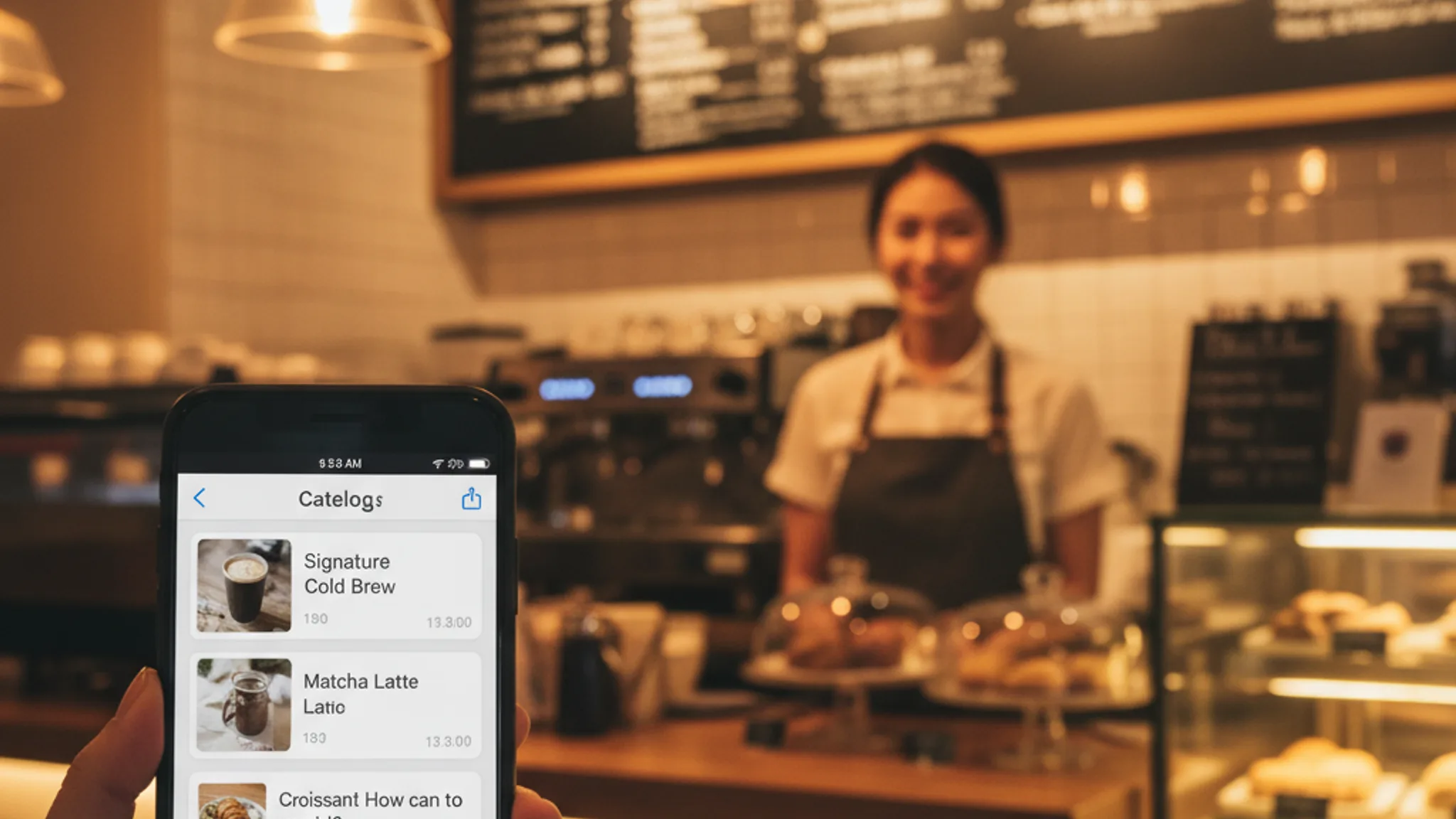
- Catalogue: display up to 500 products or services directly in the app, so customers can browse without visiting your website
- Broadcast lists: send a message to up to 256 contacts at once (they must have your number saved)
- Automated greetings and away messages: respond instantly even outside business hours
If you handle fewer than 50 conversations a day and a single person manages customer enquiries, the free app is likely sufficient.
WhatsApp Business API
The API is built for scale. It is not a standalone app, you access it through a Business Solution Provider (BSP) like SleekFlow, Respond.io, or the Singapore-based Moobicast. The API unlocks:
- Multi-agent access: your whole team can manage conversations from a shared inbox
- Chatbot automation: build automated flows for lead qualification, appointment booking, and order tracking
- CRM integration: connect WhatsApp to HubSpot, Salesforce, or your existing tools
- Template messages: pre-approved message formats for proactive outreach (order confirmations, appointment reminders, promotions)
- Unlimited broadcast volume: no 256-contact cap
Since Meta's pricing update in July 2026, you only pay for template messages you send, not for ongoing conversations. Service messages (when a customer messages you first) are completely free. For Singapore, marketing template messages cost approximately S$0.07 each, while utility messages like order confirmations are around S$0.02. Most BSPs charge an additional platform fee of S$50–$200 per month.
The bottom line: start with the free app to validate the channel, then graduate to the API when volume demands it.
Setting Up WhatsApp Business for Your Singapore Company
Getting started takes less than 30 minutes. Here is the step-by-step process:
- Get a dedicated number: use a separate Singapore mobile number (+65) for your business. Do not use your personal number. A dedicated line keeps things professional and makes it easier to hand off to staff later
- Download and verify: install WhatsApp Business from the App Store or Google Play, verify your number via SMS, and complete the business profile with your company name, category, address, and description
- Set up your catalogue: add your key products or services with images, descriptions, and prices. Think of this as a mini storefront inside WhatsApp
- Configure automated messages: create a greeting message for first-time contacts ("Hi! Thanks for reaching out to [Business Name]. How can we help you today?") and an away message for outside business hours
- Create quick replies: draft template responses for your five to ten most common questions. This alone can cut your response time by 60%
- Organise with labels: set up labels that match your sales process: New Lead, Quoted, Follow Up, Closed Won, Closed Lost
If you are going with the API route, your BSP will guide you through Meta Business verification, which typically takes three to seven business days. You will need your ACRA registration, a business website, and a Facebook Business Manager account.
Recommended reads
WhatsApp Marketing Strategies That Actually Convert
Having a WhatsApp Business account is the easy part. Using it to generate revenue is where most businesses stall. Here are the strategies we see working for Singapore SMEs right now.
Broadcast campaigns with segmentation
Broadcast lists let you send targeted messages to specific customer segments. The key word is "targeted", blasting your entire contact list with the same generic promotion is a fast way to get blocked. Instead, segment by purchase history, service interest, or location. A Tiong Bahru bakery promoting a new mooncake flavour should send that message to customers who have previously ordered pastries, not to everyone who has ever messaged them.
Product catalogue and in-chat ordering
The WhatsApp catalogue turns your chat into a lightweight storefront. Customers can browse your products, ask questions, and place orders without switching to a browser. For F&B businesses, salons, and retail shops, this reduces friction dramatically. One of our F&B clients saw a 35% increase in repeat orders within two months of enabling catalogue-based ordering.
Click-to-WhatsApp ads
This is where WhatsApp marketing and Facebook advertising intersect powerfully. Click-to-WhatsApp ads appear in Facebook and Instagram feeds with a "Send Message" button that opens a WhatsApp conversation directly. The advantage: you skip the landing page entirely and go straight to a one-on-one conversation.
Meta sweetens the deal, when a customer clicks through from an ad, all your messages within the next 72 hours are free across all message categories. For high-consideration services like interior design, tuition, or professional services, this direct conversation approach consistently outperforms traditional lead forms.
Automated drip sequences
With the API, you can build automated follow-up sequences. A potential customer enquires about your services → they receive an immediate acknowledgement → a case study 24 hours later → a limited-time offer on day three. These sequences run on autopilot and keep leads warm without manual effort. Businesses using WhatsApp chatbot flows report lead conversion rates averaging 28%, roughly 5x what traditional web forms deliver.
Integrating WhatsApp Marketing Into Your Website
Your website and WhatsApp should work together, not in silos. Here is how to connect them effectively.
Floating WhatsApp widget
A small WhatsApp icon in the bottom-right corner of your site gives visitors a one-tap path to conversation. We include this on most of the websites we build, it consistently generates more enquiries than contact forms alone. The trick is to pre-fill the message ("Hi, I'm interested in your [service], can you tell me more?") so the visitor does not face a blank chat window.
Strategic CTA buttons
Place "Chat on WhatsApp" buttons at high-intent points on your site: pricing pages, service pages, and portfolio case studies. Do not rely on a single contact page, by the time someone navigates there, you may have already lost them. Every page where a visitor might have a question should have a clear path to WhatsApp.
Landing page integration
For landing pages designed to convert, consider replacing traditional forms with a WhatsApp CTA entirely. The logic is simple: forms create a delay (submit → wait for email reply), while WhatsApp creates an instant conversation. For services where speed-to-lead matters, think property, automotive, events, this switch can dramatically improve conversion rates.
If you are running a digital marketing campaign, make sure your ad traffic lands on pages with WhatsApp integration. The shorter the path from click to conversation, the higher your close rate.
PDPA Compliance for WhatsApp Marketing in Singapore
Singapore's Personal Data Protection Act (PDPA) applies to WhatsApp marketing just as it does to email, SMS, or any other direct channel. Getting this wrong can result in fines of up to S$1 million; and the Personal Data Protection Commission does enforce. Here is what you need to know.
Consent is mandatory
You must obtain clear, affirmative consent before sending marketing messages via WhatsApp. This means:
- A checkbox on your website form ("I agree to receive marketing messages via WhatsApp"): not pre-ticked
- Verbal consent documented in writing if collected over the phone or in person
- A record of when and how consent was given, stored securely
Simply having someone's phone number does not constitute consent. Even if a customer messaged you first, that does not automatically grant you permission to add them to broadcast lists. They need to explicitly opt in to marketing communications.
Do Not Call Registry
WhatsApp messages are classified as text messages under the PDPA's Do Not Call (DNC) provisions. Before sending any marketing message, you must check the recipient's number against the DNC Registry, unless you have clear consent that overrides the DNC listing.
Opt-out mechanism
Every marketing message you send must include a clear way to opt out. Something as simple as "Reply STOP to unsubscribe" works. When someone opts out, you must honour the request within 30 days (though best practice is to stop immediately). Keep a log of all opt-out requests.
Data handling
Chat logs containing personal data must be stored securely, accessed only by authorised staff, and deleted when no longer needed. If you use a BSP for the WhatsApp API, ensure their data processing agreement covers Singapore's requirements. For a more detailed breakdown of data protection obligations, see our full PDPA compliance guide.
Measuring WhatsApp Marketing Results
You cannot improve what you do not measure. Here are the metrics that matter for WhatsApp Business Singapore campaigns.
Response time
WhatsApp users expect fast replies, 80% of messages are read within five minutes. Your target should be under 15 minutes during business hours. The WhatsApp Business app tracks your average response time and displays it on your profile. If your response time consistently exceeds an hour, you are likely losing leads to faster competitors.
Conversation-to-conversion rate
Track what percentage of WhatsApp conversations result in a sale, booking, or enquiry. Industry benchmarks vary: beauty and aesthetics businesses see 20–28%, restaurants 18–25%, healthcare 15–22%, and professional services 8–15%. If you are below these ranges, look at your response quality and speed first.
Broadcast engagement
For broadcast campaigns, track delivery rate, read rate, and reply rate. A healthy broadcast to a well-segmented list should see 90%+ delivery, 70%+ read rate, and 15–25% reply rate. If your read rate drops below 50%, your content is not resonating, or you are messaging too frequently.
CRM integration and attribution
Connect WhatsApp to your CRM so you can track the full journey: ad click → WhatsApp conversation → quote sent → deal closed. Without this attribution, you are guessing at ROI. Most BSPs offer native integrations with HubSpot, Zoho, and Salesforce. For custom setups, the WhatsApp API supports webhooks that can push conversation data to virtually any system.
Revenue per conversation
Divide your total WhatsApp-attributed revenue by the number of conversations in a given period. This gives you a clear cost-per-acquisition picture, especially when compared against other channels. We have seen Singapore businesses achieve a revenue-per-conversation rate 3–4x higher than email marketing.
Funding Your WhatsApp Marketing Setup: The PSG Grant
Here is something many Singapore SMEs do not realise: the Productivity Solutions Grant (PSG) can cover up to 50% of the cost of adopting WhatsApp Business API solutions. If you are using a pre-approved BSP, the effective cost of your platform subscription and setup can drop to as low as S$50 per month.
To qualify, your business must:
- Be registered and operating in Singapore
- Have at least 30% local shareholding
- Have group annual sales turnover not exceeding S$100 million, or group employment of 200 employees or fewer
The grant covers up to S$30,000 per entity per year and resets every April. Application is through the Business Grants Portal, and approval typically takes four to six weeks. If you are already planning to invest in lead generation tools, folding WhatsApp API costs into a PSG application is a smart way to stretch your budget.
WhatsApp is not a "nice-to-have" channel in Singapore, it is where 84% of your potential customers already spend a significant chunk of their day. The businesses that treat it as a proper marketing and sales channel, rather than just a chat tool, are seeing conversion rates that leave email and traditional web forms in the dust.
Start simple: set up a WhatsApp Business profile, configure your catalogue and automated messages, and add a widget to your website. Once you see the volume of conversations coming in, you will understand why the API and automation are worth the investment.
If you want help integrating WhatsApp marketing in Singapore into a broader digital strategy: from click-to-WhatsApp ads to CRM-connected automation, see how our digital marketing services work, or get in touch for a free consultation.
Sources & References (4)
- https://business.whatsapp.com/products/platform-pricing
- https://www.pdpc.gov.sg/guidelines-and-consultation/2020/02/advisory-guidelines-on-requiring-consent-for-marketing-purposes
- https://www.enterprisesg.gov.sg/financial-support/productivity-solutions-grant
- https://hashmeta.com/blog/whatsapp-statistics-singapore-complete-guide-to-messaging-trends-business-opportunities/

Written by
Terris
Founder & Lead Strategist
Terris helps Singapore businesses grow through data-driven digital marketing: from SEO and paid ads to messaging strategy and conversion optimisation. He has managed campaigns across dozens of industries and knows what actually moves the needle for local SMEs.
Want to see these strategies in action? Browse our portfolio or get in touch to discuss your project.